Posts

Showing posts with the label thermal printer

How Do Thermal Transfer Label Printer Work?

Image
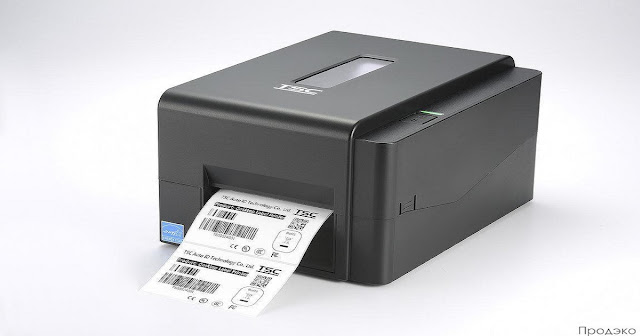
Thermal Transfer Label Printer  uses heat instead of ink to create labels and signs on paper, tape, tape, or other materials. Thermal printing (or direct thermal printing) is a process that produces a printed image by selectively heating thermal paper as it passes through a thermal print head. The thermal paper coating turns black in hot spots, producing the desired image. Thermal transfer printing, on the other hand, uses hot tape to produce durable and long-lasting images. This process is known for producing highly durable, smudge-resistant prints. As a result, thermal printers have become a popular choice for producing durable labels and easy-to-scan barcodes, as well as receipts, tickets, wristbands, coupons, name cards, and more. Stickers and logos are everywhere in our daily and professional life. From homes to offices, stores, warehouses, and other facilities, thermal labels are essential in many areas of business, including transportation, logistics, retail, healthcare, and...

Advantages of Using a Barcode Printer For Your Business

Image
Barcode Printer are ideal for a variety of mid-size commercial, industrial and healthcare applications. Whether it's printing shipping labels, asset tracking, or sample labeling, we have a large selection of thermal and thermal transfer printers to choose from. A barcode printer is a machine designed to create barcode labels. These labels are attached to various products and are used by small businesses and many industries. In most cases, the barcode printing process involves two technologies - direct thermal barcode printing or thermal transfer barcode printing technology. Advantages of Barcode Printer: Even with only one sheet of paper, you can print a small number of different types without wasting. Use barcodes and work with scanners to reduce manual processing time and costs Different graphics can be printed as needed, especially the company logo and certificate logo Can print serial number and product tracking Can be linked to company database data for faster extraction and ...

What is a Thermal Transfer Label Printer and How Does it Work?

Image
Thermal Transfer Label Printer offer convenience in printing, receipts, and bar codes quickly and cost-effectively in a set location or on the go. In this post, we’ll walk you through everything you need to know about how a thermal printer works and the key features to look for so you can find the right model for your business. What is a thermal printer? A Thermal Transfer Label Printer is a printer that uses a thermal print head pressed onto media to produce black text or images. Depending on the type of thermal printer, heated print heads can activate especially chemically treated paper (called thermal paper) or transfer solid ink from the ribbon and bond it to the media. They are commonly used to produce labels, receipts, bar codes, ID badges, and many other applications in many industries. How Do Thermal Transfer Label Printer Work? To understand how thermal printers work, you first need to understand that there are two methods of thermal printing: Heat Transfer: Direct Therm...

Working Of A Thermal Transfer Label Printer

Image
Thermal printers, including direct thermal and Thermal Transfer Label Printer , have been in common use since the mid-1970s. Sato was the first to release a barcode label printer. Today, there are many options for printing labels, including jet, laser, and impact printers. Most labels on the market are single-color, and some are single-color or multi-color, but industry standards consider thermal printers to be the best. Introduction to Barcodes Barcodes consist of spaces and lines and are designed to be read quickly and cleanly by barcode readers. Most Thermal Transfer Label Printer print small square dots with straight edges that are read by barcode scanners. Most existing thermal printers offer a lower resolution of 203 dots per inch, but most label printers will work. 203 dots/inch equals 8 dots/mm, and 305 dots/inch equals 12 dots/mm. Therefore, 305 dots per inch gives good results for the label format. Few printer companies today offer 400 dots per inch, and recently introduced ...